BrunnerCTF 2026 Writeup
Welcome to the BrunnerCTF 2026 writeup! This year's competition features the theme 'Brunnerne goes corporate' with many interesting challenges...
Welcome to the BrunnerCTF 2026 writeup! According to the organizers, this year’s competition has expanded from a small bakery into a unicorn corporation with the theme “Brunnerne goes corporate”.
The competition brings extremely interesting and “delicious” challenges for everyone, from newly-hired “CTF interns” to “senior executive vice presidents”. Below is a summary and detailed solution for the challenges I managed to solve. Let’s dive in!
1. Company Discount
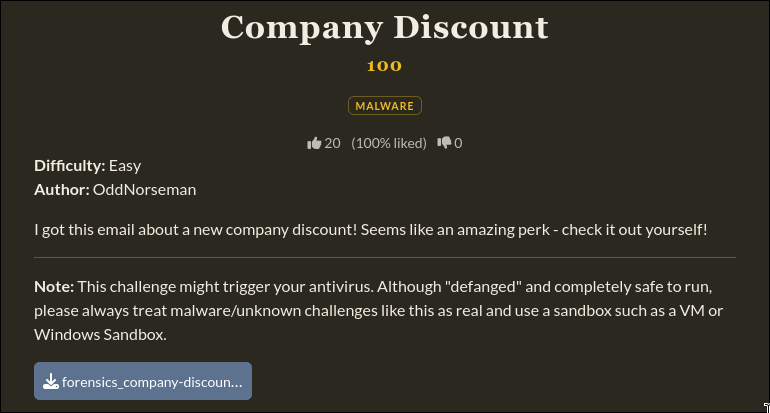
A simple warm-up challenge, the problem provides the file Brunnerne_Employee_Discount_Newsletter_2026.hta
This is a file format that allows running HTML, CSS, and JavaScript source code as an independent application on the Windows operating system, with system access instead of being restricted within a web browser.
Opening it with notepad, I found a script that calls a powershell process to download another script and execute it.

Accessing the link, I found an obfuscated code snippet used to bypass the monitoring system, which then downloads yet another script for the next attack phase.
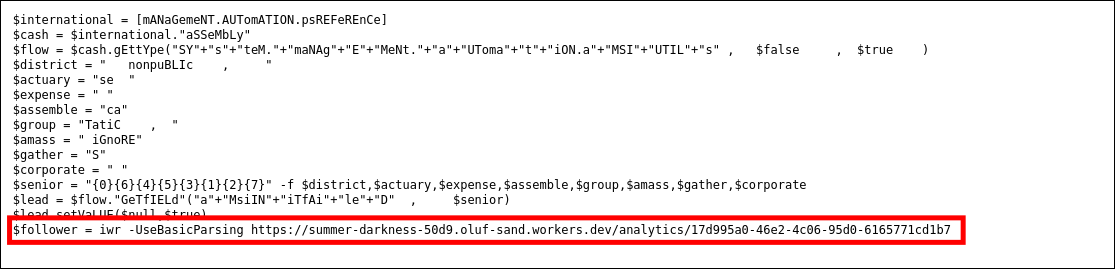
Continuing to access this link gives us the flag for this challenge.

Answer: brunner{wh00ps_l3ts_1gn0r3_th1s_4nd_h0p3_1T_d03snt_n0t1c3}
2. Free Play
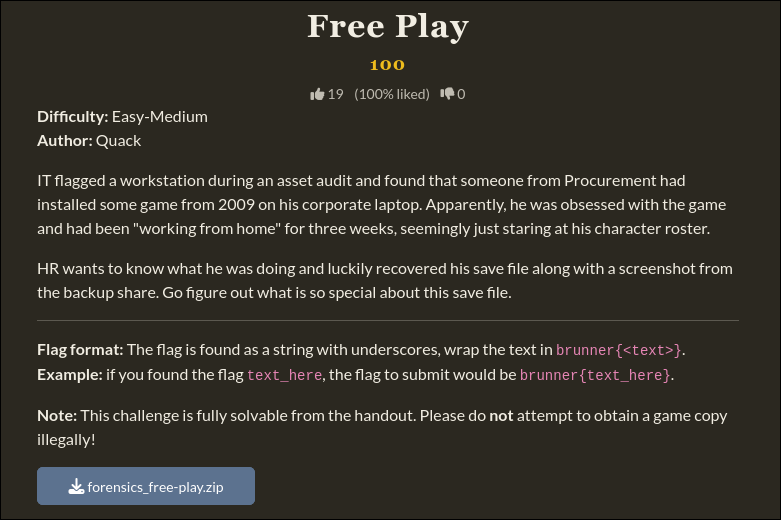
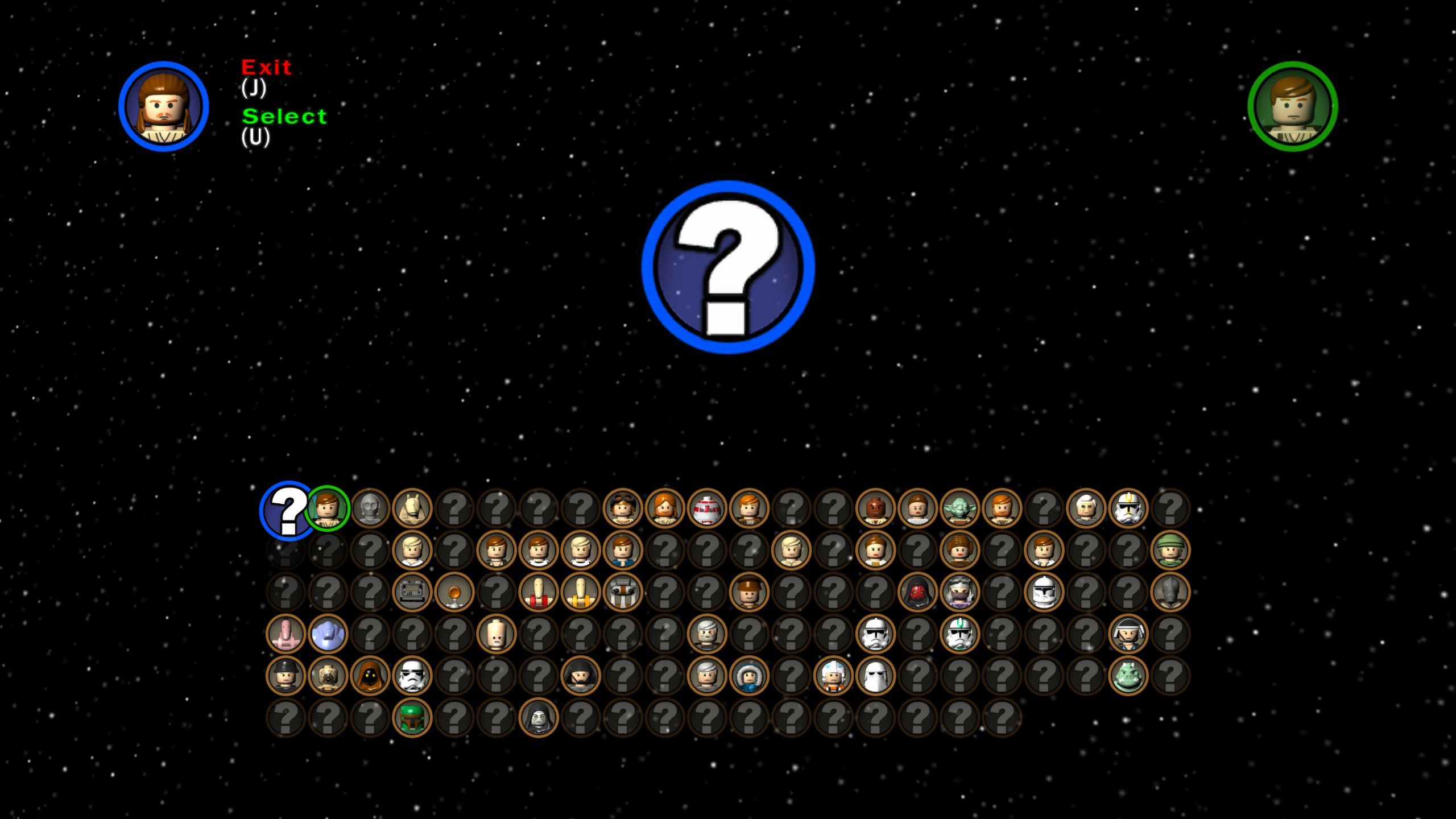
Another simple warm-up challenge, providing the files Game.jpg and SaveGame1.
Opening the image, I noticed the character grid has some slots unlocked, while the rest are blurred out.
Reading the SaveGame1 file as a hexdump and looking at the end of the file, I found a data array storing the status of the character list. In it, the byte 03 represents an unlocked state, while 00 means it’s not unlocked.
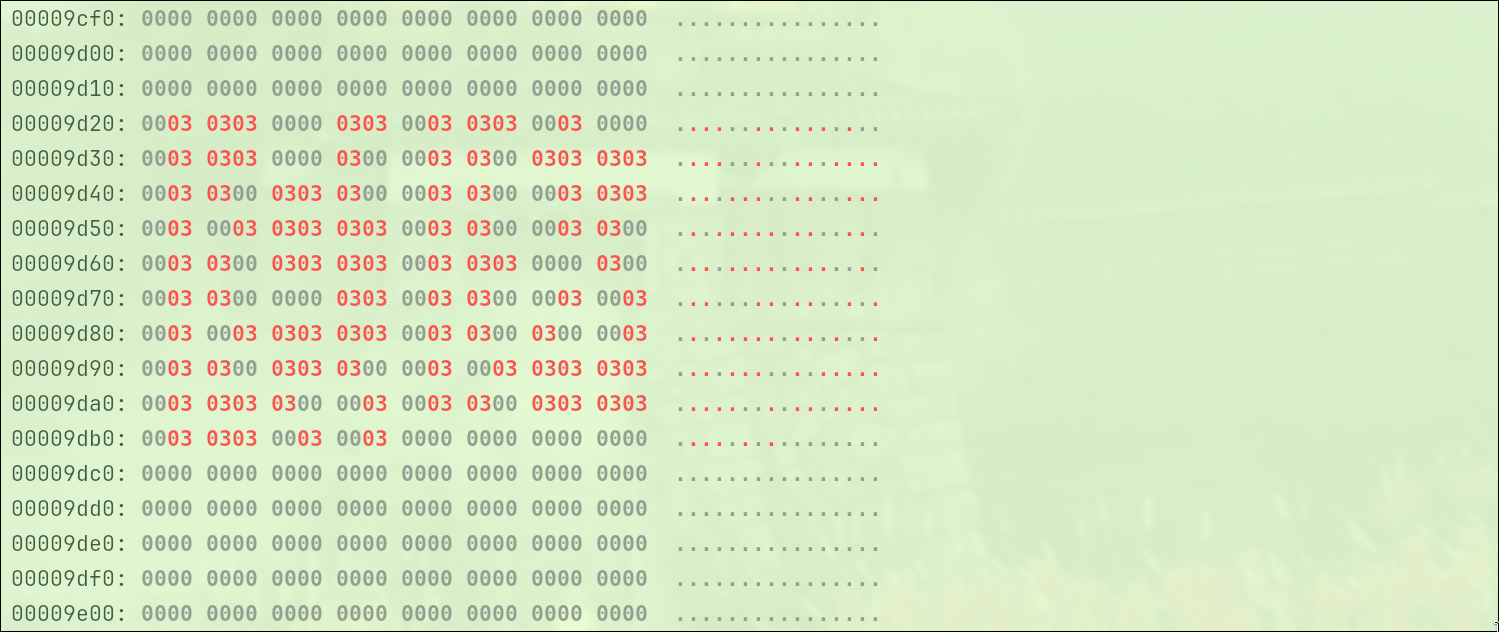
Using a small Python script to extract this data segment, I changed the 03 values to bit 1 and 00 to bit 0, then grouped them into 8-bit chunks to decode back into the ASCII character set.
1
2
3
4
5
6
7
8
9
10
11
12
13
14
15
tail = data[-1000:]
  binary_str = ""

  for byte in tail:
      if byte == 3:
          binary_str += "1"
      elif byte == 0:
          binary_str += "0"

  flag = ""
  for i in range(0, 152, 8):
      chunk = binary_str[i:i+8]
      flag += chr(int(chunk, 2))

  print("brunner{" + flag + "}")
Answer: brunner{strong_force_in_you}
3. Rubik’s Cube
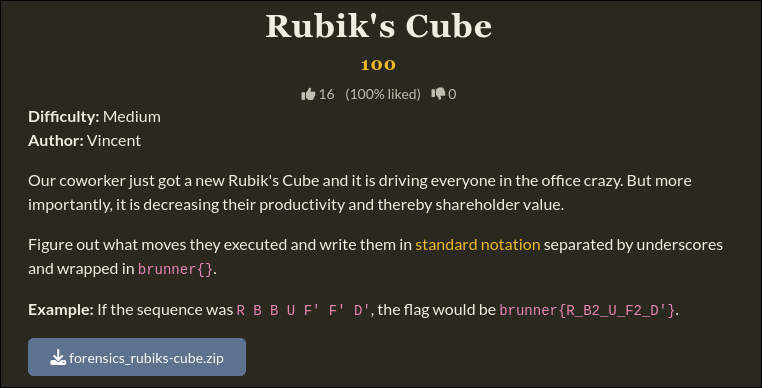
The challenge provides the file rubiks.pcapng
This is a network packet capture file, specifically containing the Bluetooth Low Energy (BLE) communication stream between a QiYi Smart Cube and a mobile app.
Opening the file with Wireshark, I used the filter btatt.opcode == 0x1b to filter out BLE ATT Handle Value Notification packets. These are the packets that the Rubik’s cube automatically sends to the mobile app every time a face is rotated.
- Click on any packet, and look down at the Packet Details pane in the lower half of the screen.
- Expand the Bluetooth Attribute Protocol branch.
- Right-click on the Value line and select Apply as Column.
- Select the menu File -> Export Packet Dissections -> As CSV….
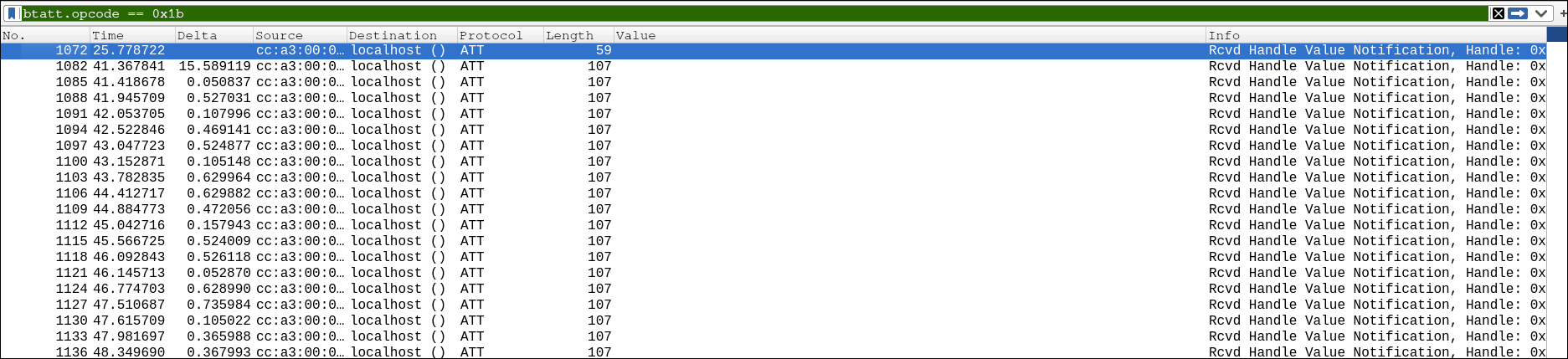
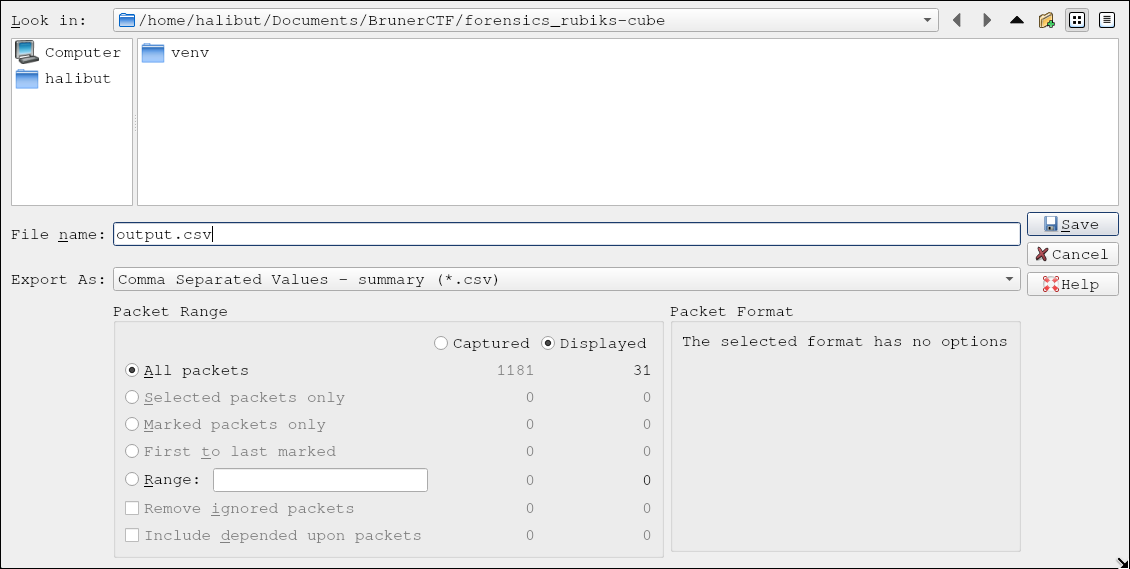
Now let’s figure out how to decode these value snippets.
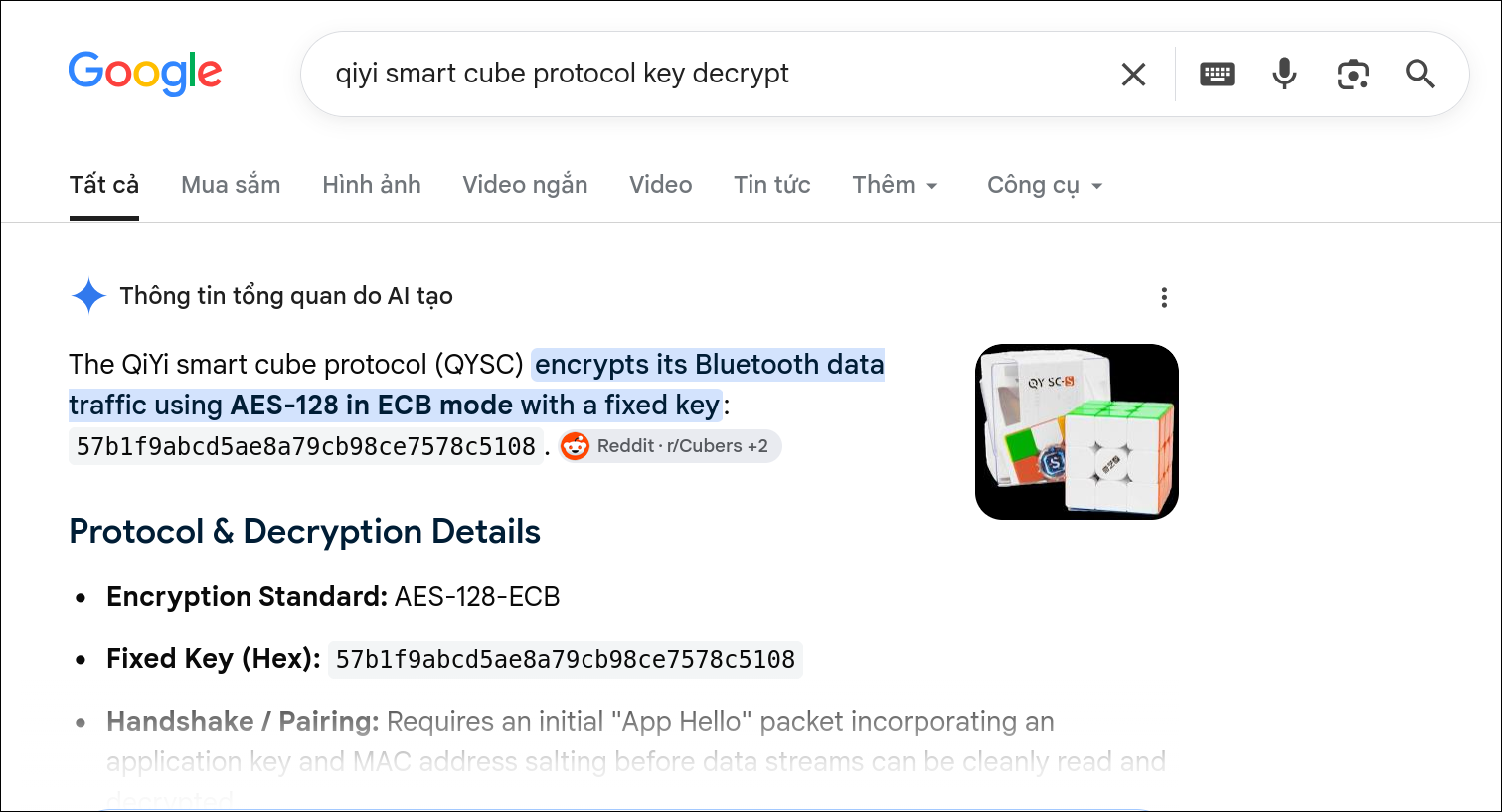
Thank you Gemini.
I read the CSV file, extracted the hex code column, and used the AES-128-ECB algorithm with QiYi’s static key to decrypt it back to the original data. After removing 7 junk bytes, I sliced the next 27 bytes into 54 numbers, then decoded them back into the 54 corresponding letters on the Rubik’s Cube faces and printed them out.
1
2
3
4
5
6
7
8
9
10
11
12
13
14
15
16
17
18
19
20
21
22
23
24
25
26
27
28
29
30
31
import csv
from Crypto.Cipher import AES

KEY = bytes.fromhex("57b1f9abcd5ae8a79cb98ce7578c5108")
cipher = AES.new(KEY, AES.MODE_ECB)
M = {0: "L", 1: "R", 2: "D", 3: "U", 4: "F", 5: "B"}

with open('output.csv', 'r') as f:
    reader = csv.reader(f)
    next(reader)

    for row in reader:
        if len(row) > 8 and row[8].strip() != "":
            raw_bytes = bytes.fromhex(row[8].strip())

            decrypted = b""
            for j in range(0, len(raw_bytes), 16):
                decrypted += cipher.decrypt(raw_bytes[j : j+16])

            color_bytes = decrypted[7 : 34]

            numbers = []
            for b in color_bytes:
                numbers.append(b & 0x0F)
                numbers.append(b >> 4)

            letters = []
            for n in numbers:
                letters.append(M[n])

            print("".join(letters))
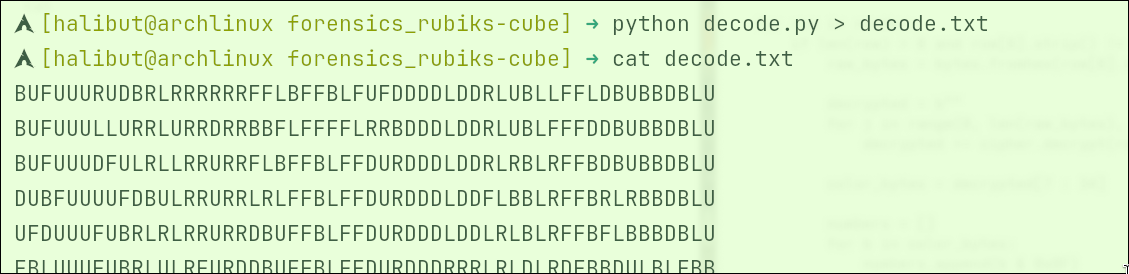
If you’re hardworking, you can paste these strings into the API of the VisualCube page or QiYi’s software to render a 3D image and then strain your eyes to compare each step. But because I’m lazy, I decided to use the solve function of the kociemba library in Python so the computer automatically finds the shortest path between 2 consecutive strings.
I also automatically combined repeated rotation steps (for example: rotating F and then rotating F again is compacted into F2).
1
2
3
4
5
6
7
8
9
10
11
12
13
14
15
16
17
18
19
20
21
22
23
24
25
import kociemba

states = [line.strip() for line in open('decode.txt') if line.strip()]

raw_moves = []
for i in range(len(states) - 1):
    try:
        raw_moves.extend(kociemba.solve(states[i], states[i+1], max_depth=6).split())
    except:
        pass

compacted = []
for m in raw_moves:
    base = m[0]
    val = 2 if '2' in m else -1 if "'" in m else 1

    if compacted and compacted[-1][0] == base:
        _, prev_val = compacted.pop()
        new_val = (prev_val + val) % 4
        if new_val != 0:
            compacted.append((base, new_val))
    else:
        compacted.append((base, val))

print(", ".join(base + ("2" if v==2 else "'" if v==-1 else "") for base, v in compacted))
The sequence of operations obtained after complete reduction is: F2, U2, B’, R2, B’, L, D2, R, F2, U, B2, D, R2, B2, D’, B2, U, F2, U, B
Answer: brunner{F2_U2_B’_R2_B’_L_D2_R_F2_U_B2_D_R2_B2_D’_B2_U_F2_U_B}
5. The Missing Recipe
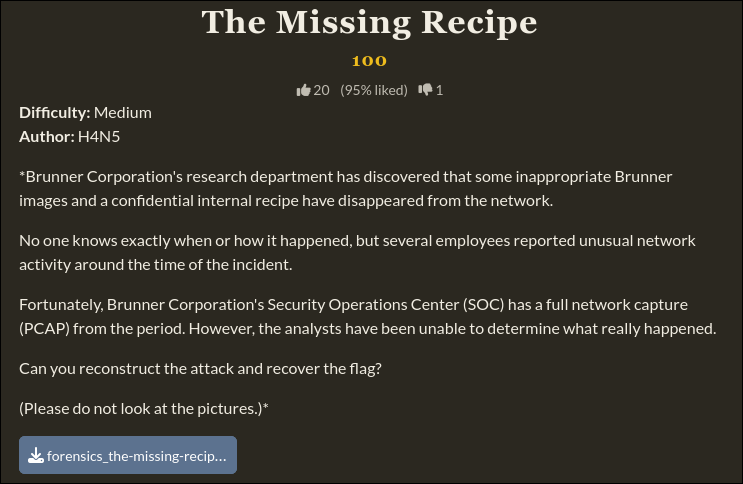
The challenge provides another pcap file, the-missing-recipe.pcap
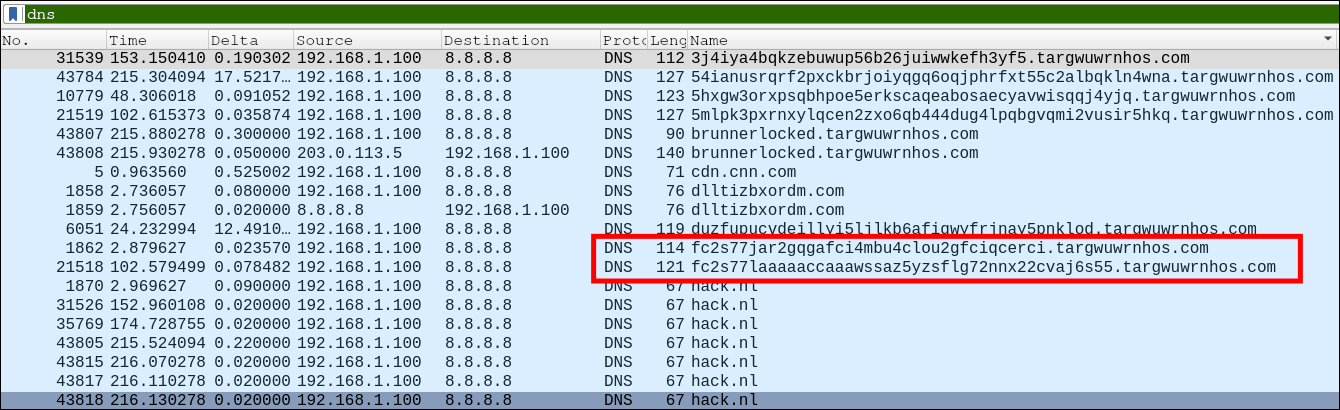
Opening the file with Wireshark, I detected signs of data leakage via the DNS protocol through queries to the subdomains of targwuwrnhos.com.
- Click on any packet, and look down at the Packet Details pane in the lower half of the screen.
- Expand the Queries branch.
- Right-click on the Name line and select Apply as Column.
- Select the menu File -> Export Packet Dissections -> As CSV….
Opening the newly exported CSV file, I looked over the obtained subdomains and noticed the characteristics of Base32 encoding.
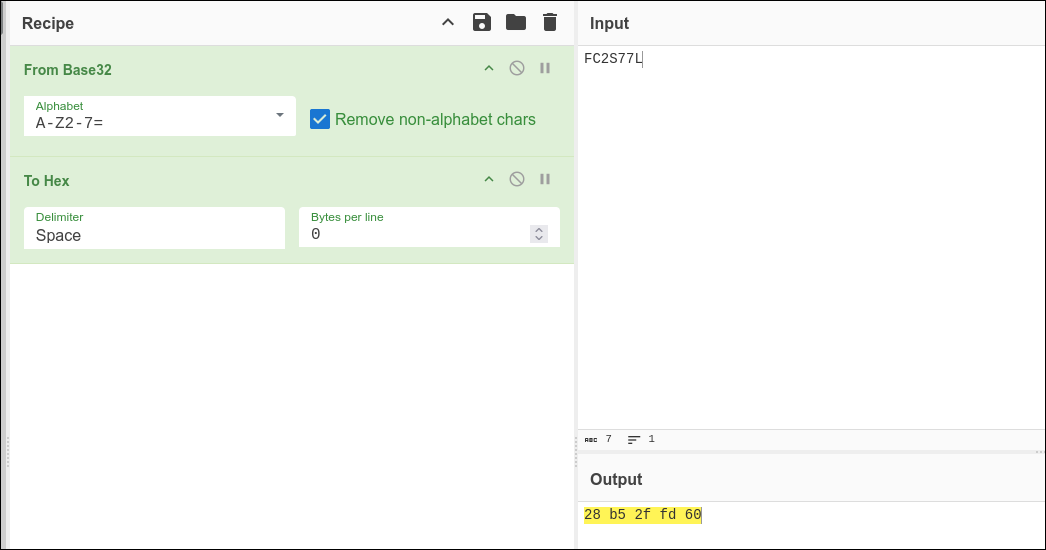
These subdomains are actually split into two separate data streams, starting with the string
- FC2S77J → 28 b5 2f fd 20
- FC2S77L → 28 b5 2f fd 60
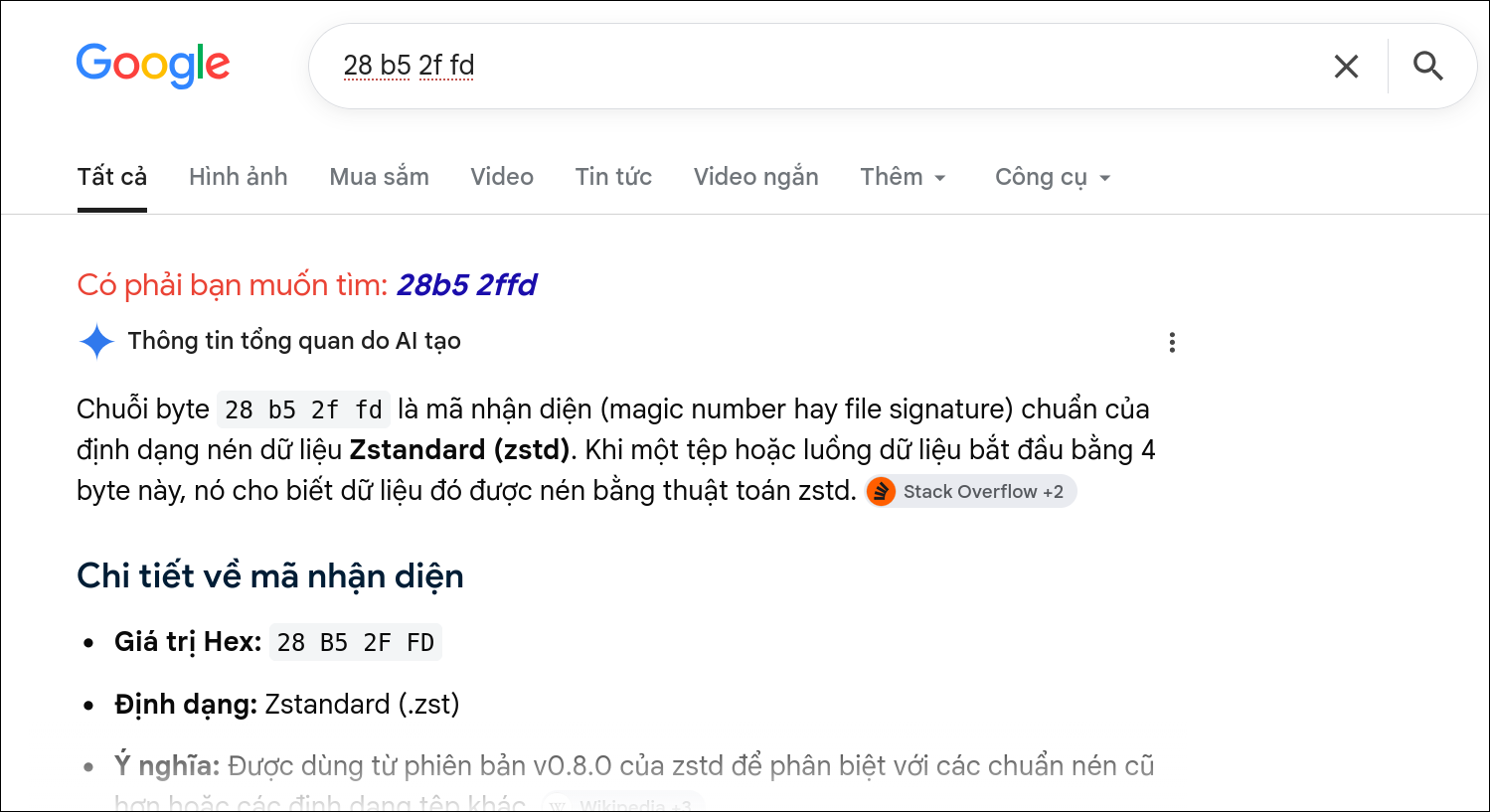
It seems this string is a zstd packed file, Thank you Gemini.
I used the following python code to extract these 2 encrypted streams, decrypt and unpack them.
1
2
3
4
5
6
7
8
9
10
11
12
13
14
15
16
17
18
19
20
21
22
23
24
25
26
27
28
29
30
31
32
33
34
import re
import base64
import zstandard as zstd

csv_file = 'export.csv'
stream1, stream2 = [], []
current_stream = None

pattern = re.compile(r'([A-Za-z2-7]+)\.targwuwrnhos\.com', re.IGNORECASE)

with open(csv_file, 'r', encoding='utf-8') as f:
    for line in f:
        match = pattern.search(line)
        if match:
            subdomain = match.group(1).upper()
            if subdomain in ['UPDATE', 'BRUNNERLOCKED']: continue

            if subdomain.startswith('FC2S77J'): current_stream = stream1
            elif subdomain.startswith('FC2S77L'): current_stream = stream2

            if current_stream is not None:
                if not current_stream or current_stream[-1] != subdomain:
                    current_stream.append(subdomain)

def extract_and_decompress(stream_list):
    b32_data = "".join(stream_list)
    b32_data += "=" * ((8 - len(b32_data) % 8) % 8)
    return zstd.decompress(base64.b32decode(b32_data, casefold=True))

payload1 = extract_and_decompress(stream1)
payload2 = extract_and_decompress(stream2)

print("Payload 1:", payload1)
print("Payload 2:", payload2)
The result obtained is a message, an encrypted segment, and the first half of the flag: brunner{k33p_53nd.
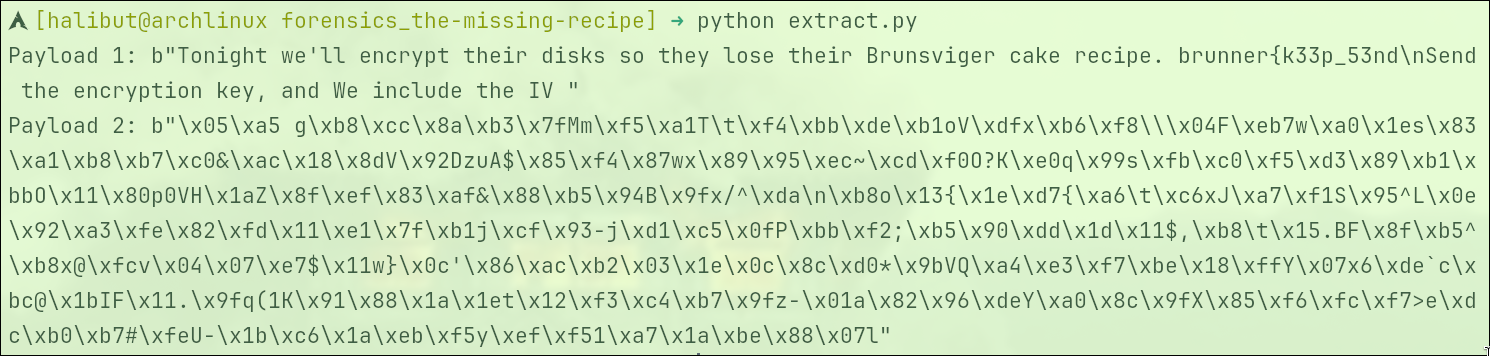
The message mentions sending an encryption key.
Going back to Wireshark, I changed the filter to dns.flags.response == 1 && dns.qry.name contains "targwuwrnhos.com" to find the response packets from the C2 server.
I noticed the query to update.targwuwrnhos.com was returned by the server with a record containing the Base64 string KLUv/SAQgQAAQnJ1bm4zckszeUFFU0NCQw==.
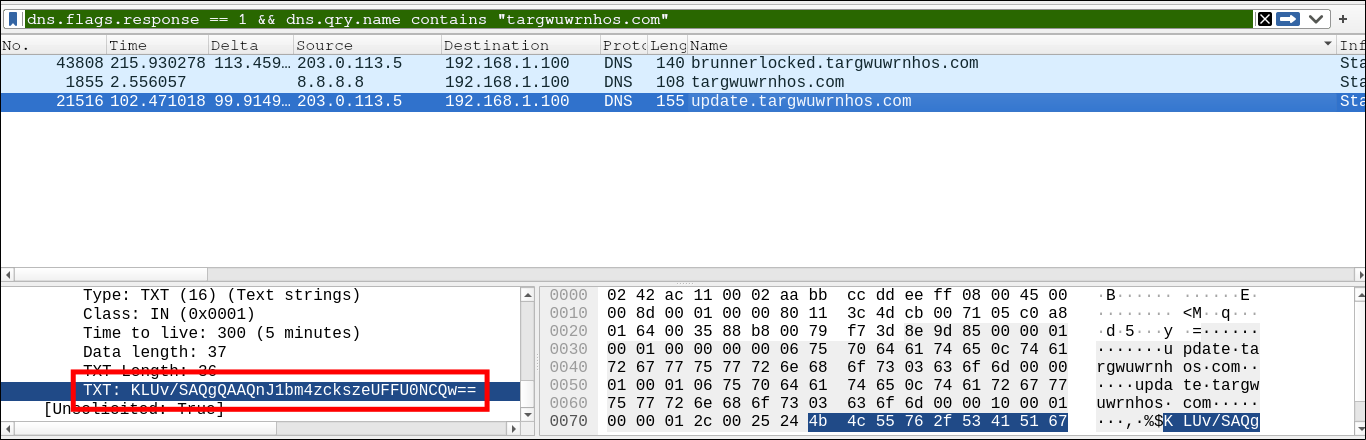
Continuing to pull this string out to decrypt and unpack it, the returned result is a 16-byte cluster Brunn3rK3yAESCBC which is the AES key to decrypt payload 2
I modified the python script above slightly to only grab payload 2 and decrypt it.
1
2
3
4
5
6
7
8
9
10
11
12
13
14
15
16
17
18
19
20
21
22
23
24
25
26
27
28
29
30
31
32
33
34
35
36
37
38
39
import re
import base64
import zstandard as zstd
from cryptography.hazmat.primitives.ciphers import Cipher, algorithms, modes

csv_file = 'exporte.csv'
stream2 = []
is_stream2 = False

pattern = re.compile(r'([A-Za-z2-7]+)\.targwuwrnhos\.com', re.IGNORECASE)

with open(csv_file, 'r', encoding='utf-8') as f:
    for line in f:
        match = pattern.search(line)
        if match:
            subdomain = match.group(1).upper()
            if subdomain in ['UPDATE', 'BRUNNERLOCKED']: continue

            if subdomain.startswith('FC2S77J'):
                is_stream2 = False
            elif subdomain.startswith('FC2S77L'):
                is_stream2 = True

            if is_stream2:
                if not stream2 or stream2[-1] != subdomain:
                    stream2.append(subdomain)

b32_data = "".join(stream2)
b32_data += "=" * ((8 - len(b32_data) % 8) % 8)
payload2 = zstd.decompress(base64.b32decode(b32_data, casefold=True))

key = b'Brunn3rK3yAESCBC'
iv = payload2[:16]
ciphertext = payload2[16:]

cipher = Cipher(algorithms.AES(key), modes.CBC(iv))
plaintext = cipher.decryptor().update(ciphertext)

print(plaintext.decode('utf-8', errors='ignore'))
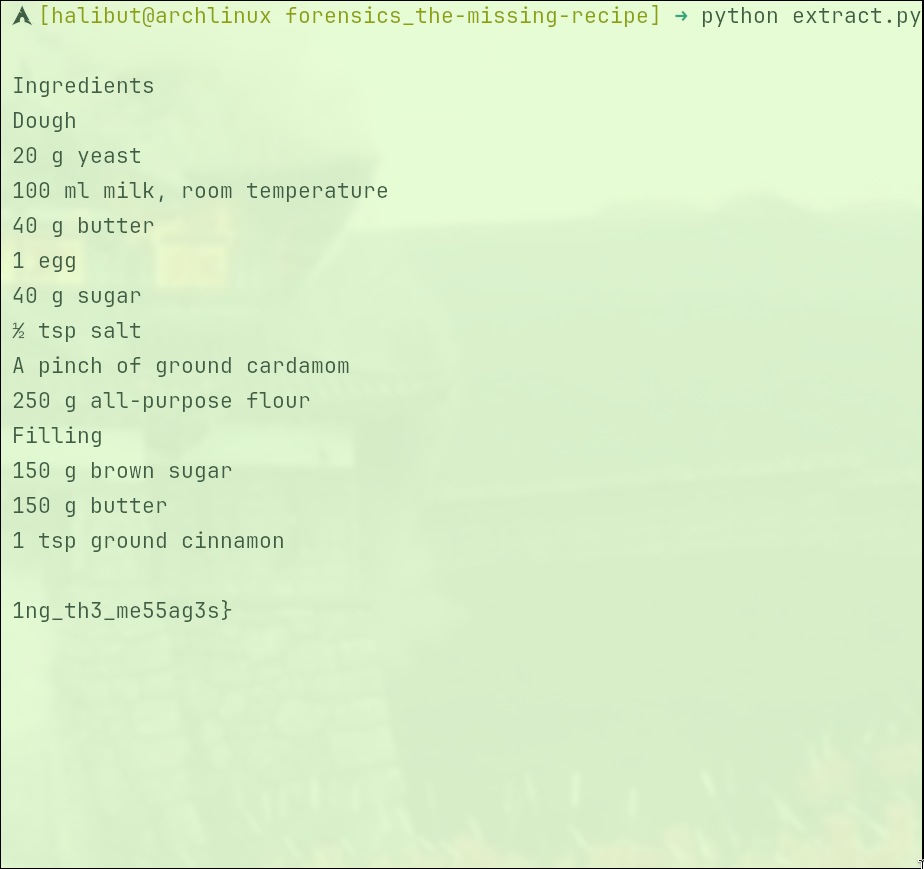
the second half of the flag: 1ng_th3_me55ag3s}
Answer: brunner{k33p_53nd1ng_th3_me55ag3s}
6. CAN you read this
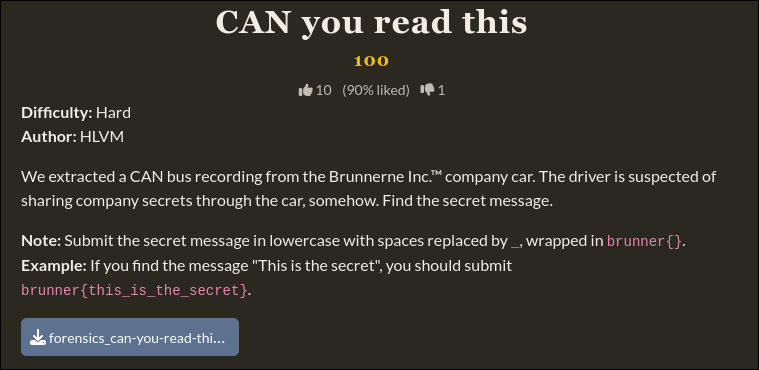
The challenge provides a file named can-recording-model-3.asc.
This is a file containing the CAN bus network log record of a Tesla Model 3, saving the history of communication packets between the electronic components on the car.
Each line is a recorded CAN packet. The structure of a standard line includes the following columns:
1
[Timestamp] [Channel] [ID] [Rx/Tx] [d] [Data Length] [Byte 0] [Byte 1] [Byte 2] [Byte 3] ...
I wrote a python script to separate all components of this device into their own separate files based on ID.
1
2
3
4
5
6
7
8
9
10
11
12
13
14
15
16
17
18
19
20
import os

os.makedirs("split_ids", exist_ok=True)
files = {}

with open("can-recording-model-3.asc", "r") as f:
    for line in f:
        parts = line.split()

        if len(parts) >= 7 and parts[4] == 'd':
            can_id = parts[2]

            if can_id not in files:
                files[can_id] = open(f"split_ids/ID_{can_id}.asc", "w")

            files[can_id].write(line)

for f in files.values():
    f.close()
Opening and checking the data variation of each file, I discovered an anomaly in the file ID_3F5.asc.
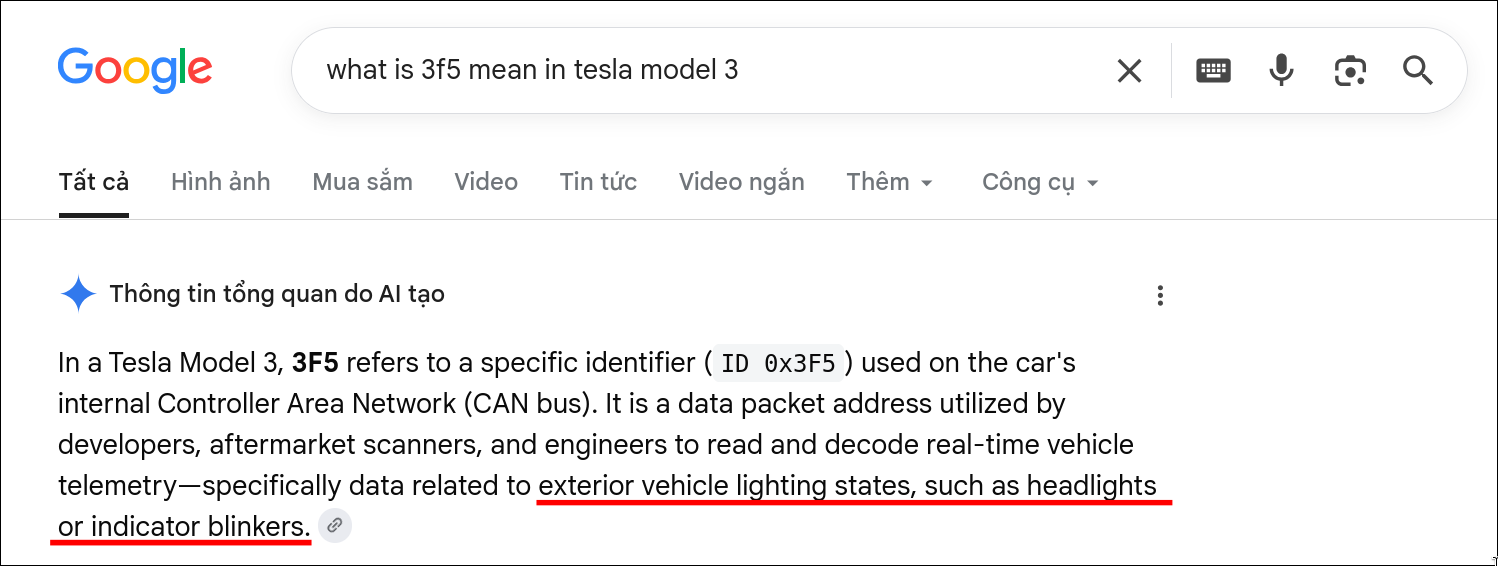
The 4th data column (i.e., Byte 3) continuously changes back and forth between two values, 18 92 04 and 38 82 0C, while the remaining bytes stay almost the same.
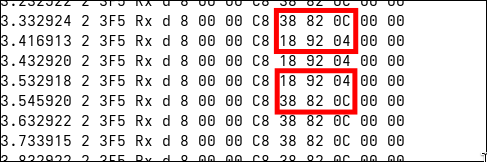
To see this on/off pattern more clearly, I used the matplotlib library to draw a waveform graph based on the timestamp column and the status of Byte 3.
1
2
3
4
5
6
7
8
9
10
11
12
13
14
15
16
17
18
19
20
21
22
23
import matplotlib.pyplot as plt

times = []
vals = []

with open("split_ids/ID_3F5.asc", "r") as f:
    for line in f:
        parts = line.split()
        time = float(parts[0])
        val = parts[9]

        if val == "38":
            vals.append(1)
        else:
            vals.append(0)
        times.append(time)

plt.figure(figsize=(15, 2))
plt.step(times, vals, where='post', color='red')
plt.axis('off')
plt.tight_layout()
plt.savefig('wave.png', bbox_inches='tight', pad_inches=0, transparent=True)

Looking at the waveform graph, you can see alternating short and long pulses forming a Morse code signal band.
I easily decoded the secret message as HIDDEN IN PLAINLIGHT.
Answer: brunner{hidden_in_plainlight}
7. Baked In
The challenge provides a rootfs directory (user file system) and a physical memory dump file mem.dump.
Using ewfmount with rootfs
1
2
3
4
5
6
7
8
sudo mkdir -p /mnt/ewf_mount
sudo ewfmount disk.E01 /mnt/ewf_mount/

sudo fdisk -l /mnt/ewf_mount/ewf1
# The above command lists the partitions. Find the Linux formatted partition (the largest size) and note the number in the Start column.
# => Sector size is usually 512 bytes => Multiply Start * 512 to get the byte offset to jump to.

sudo mount -o ro,loop,offset=1048576 /mnt/ewf_mount/ewf1 ./rootfs
After mounting the drive, I needed to find a way to read the remaining Memory file using Volatility 3. Checking the /boot directory, I determined the operating system was running Linux kernel version 6.12.94+deb13-amd64
Accessing the Debian repository and downloading the corresponding Kernel Debug package: linux-image-6.12.94+deb13-amd64-dbg
Answer: brunner{h1dd3n_1ngr3d13nts_1n_th3_r3c1p3}