Cyber Defenders - Andromeda Bot (UNC4210) Writeup
Category: Endpoint Forensics
Checkout the lab here: https://cyberdefenders.org/blueteam-ctf-challenges/andromeda-bot-unc4210/
Description
As a member of the DFIR team at SecuTech, you’re tasked with investigating a security breach affecting multiple endpoints across the organization. Alerts from different systems suggest the breach may have spread via removable devices. You’ve been provided with a memory image from one of the compromised machines. Your objective is to analyze the memory for signs of malware propagation, trace the infection’s source, and identify suspicious activity to assess the full extent of the breach and inform the response strategy.
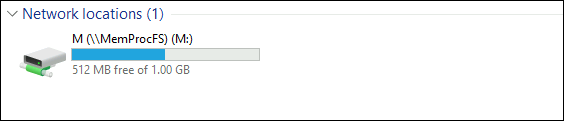
This lab requires using MemProcFS for the investigation. MemProcFS is an analysis tool that scans memory dumps (such as .raw or .mem files) and mounts them as a virtual drive on my computer.
1
"C:\Users\Administrator\Desktop\Start Here\Tools\Memory Analysis\MemProcFS\memprocfs.exe" -device "C:\Users\Administrator\Desktop\Start Here\Artifacts\memory.dmp" -mount M:

Q1: Tracking the serial number of the USB device is essential for identifying potentially unauthorized devices used in the incident, helping to trace their origin and narrow down your investigation. What is the serial number of the inserted USB device?
To view the serial number of peripheral devices such as USB drives, I checked the following registry directory:
1
M:\registry\HKLM\SYSTEM\ControlSet001\Enum\USBSTOR\Disk&Ven_VendorCo&Prod_ProductCode&Rev_2.00
registry\: Windows Registry data loaded into RAM at the time of memory collection.HKLM\(HKEY_LOCAL_MACHINE): One of the five root Registry hives, containing hardware, software, and operating system configuration data.SYSTEM\: The Registry hive responsible for managing system configuration, drivers, services, and Windows startup behavior.ControlSet001\: System control set configurations used by Windows to operate hardware and drivers during runtime.Enum\(Enumeration): The directory that lists and records every hardware device ever connected and recognized by the computer.USBSTOR\(USB Storage): A subfolder insideEnumspecifically dedicated to USB mass storage devices (such as USB flash drives and external hard drives). USB mice or keyboards are located in other folders likeUSB.Disk&Ven_VendorCo&Prod_ProductCode&Rev_2.00: This is the Hardware ID string submitted by the peripheral device to Windows upon connection, broken down as follows:Ven_VendorCo: The vendor identifies itself as ‘VendorCo’.Prod_ProductCode: The product code is ‘ProductCode’.Rev_2.00: The hardware revision version is 2.00.
Inside this directory, the folder name represents the serial number of the USB device plugged into the system.
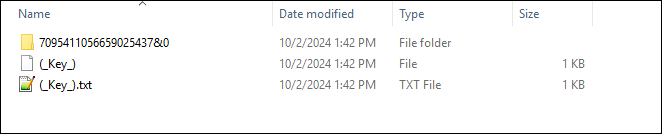
Answer: 7095411056659025437&0
Q2: Tracking USB device activity is essential for building an incident timeline, providing a starting point for your analysis. When was the last recorded time the USB was inserted into the system?
To find the last recorded time the USB was inserted into the system, I accessed:
1
M:\py\reg\usb\usb_storage.txt
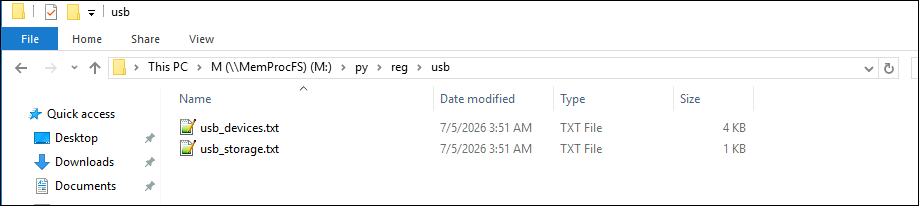
M:\: The virtual drive where MemProcFS mounts the parsed RAM image.py\(Python Plugins): A special directory where MemProcFS automatically runs built-in Python scripts developed by Ulf Frisk. These scripts act as automated forensic assistants, parsing raw memory to extract and organize critical artifacts.reg\(Registry Plugins): A folder containing scripts specialized in scanning and deeply analyzing the Windows Registry.usb\(USB Forensics): A folder containing specialized scripts designed to hunt for peripheral and USB device traces.usb_storage.txt(Output Report): This is not a native file from the victim’s computer, but rather a synthesized report file generated by MemProcFS. Instead of requiring manual correlation between Serial Numbers and insertion timestamps across multiple registry keys, the script automatically aggregates the data into a clean, easy-to-read text summary.
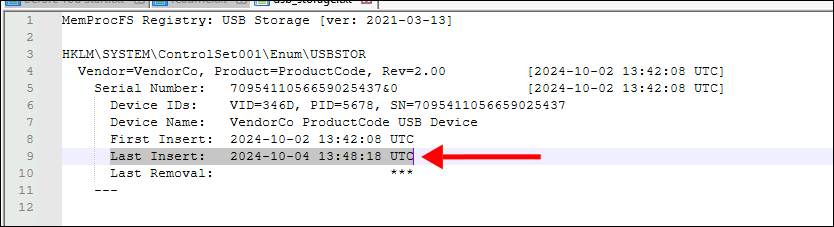
Answer: 2024-10-04 13:48
Q3: Identifying the full path of the executable provides crucial evidence for tracing the attack’s origin and understanding how the malware was deployed. What is the full path of the executable that was run after the PowerShell commands disabled Windows Defender protections?
Regularly, Windows Defender uses real-time scanning to monitor and block suspicious activity, protecting systems from malware and other security threats. Disabling its protections often signals malicious intent, making it a priority to examine the commands used for such actions.
To uncover these actions, Windows Event Logs are analyzed, as they provide detailed records of system activities, including application launches, security changes, and administrative commands. These logs are stored in .evtx files, which are stored inside M:\misc\eventlog.
To make things easier, we can use EvtxECmd and Timeline Explorer as recommended.
1
EvtxECmd.exe.lnk -d M:\misc\eventlog --csv C:\Users\Administrator\Desktop
- EvtxECmd.exe.lnk is Eric Zimmerman’s Event Log parser, which we will use to create the Event Log file we want to use for analysis.
- -d dictates the directory the event logs are stored in, which is M:\misc\eventlog. By doing this, you get ALL the event logs in a singular file, which makes analysis a lot faster.
- -csv ensures the output is stored in a CSV file. I chose to store the CSV file in “C:\Users\Administrator\Desktop\Start Here\Artifacts”, but you can pick any folder of choice. I would not recommend putting it on the M: drive though, since local drive analysis is generally faster than memory drive analysis.
After the terminal finished parsing the event logs, I went to Tools/Log Analysis and opened TimelineExplorer.exe. Once opened, I dragged the generated CSV file into Timeline Explorer to inspect the records:
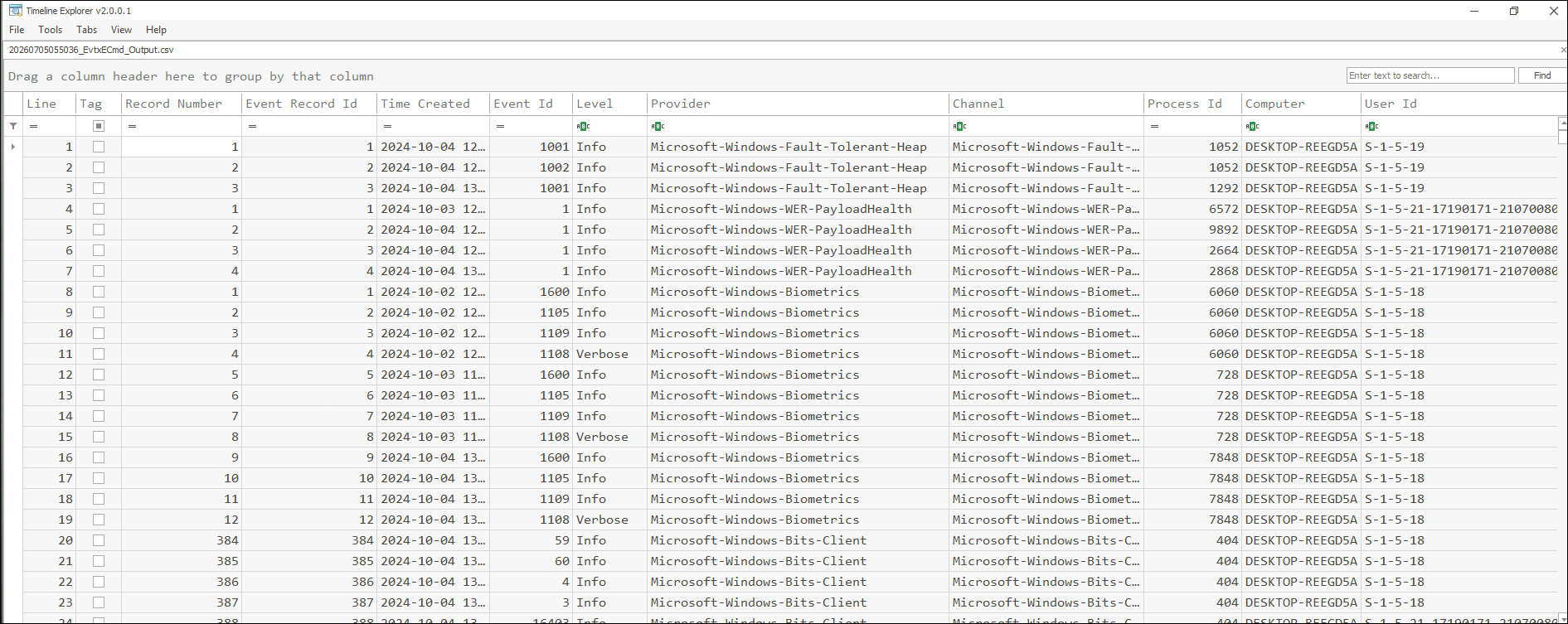
Let’s investigate Event ID 1 first, because that is the Sysmon Event ID for Process Creation.
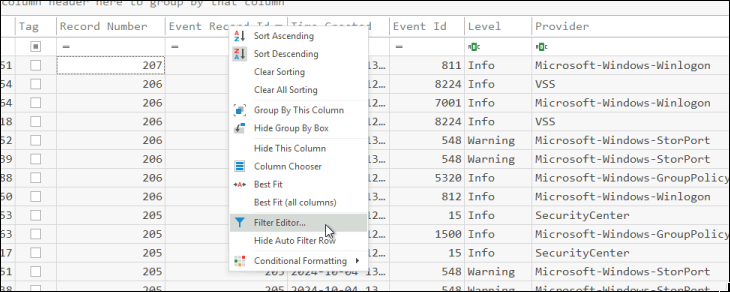
Change the filter:
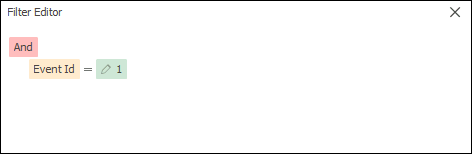
Now, I can see the logs that have Sysmon Event ID 1. I then scrolled to the right to find information about any suspicious processes in the column “Executable Info”:
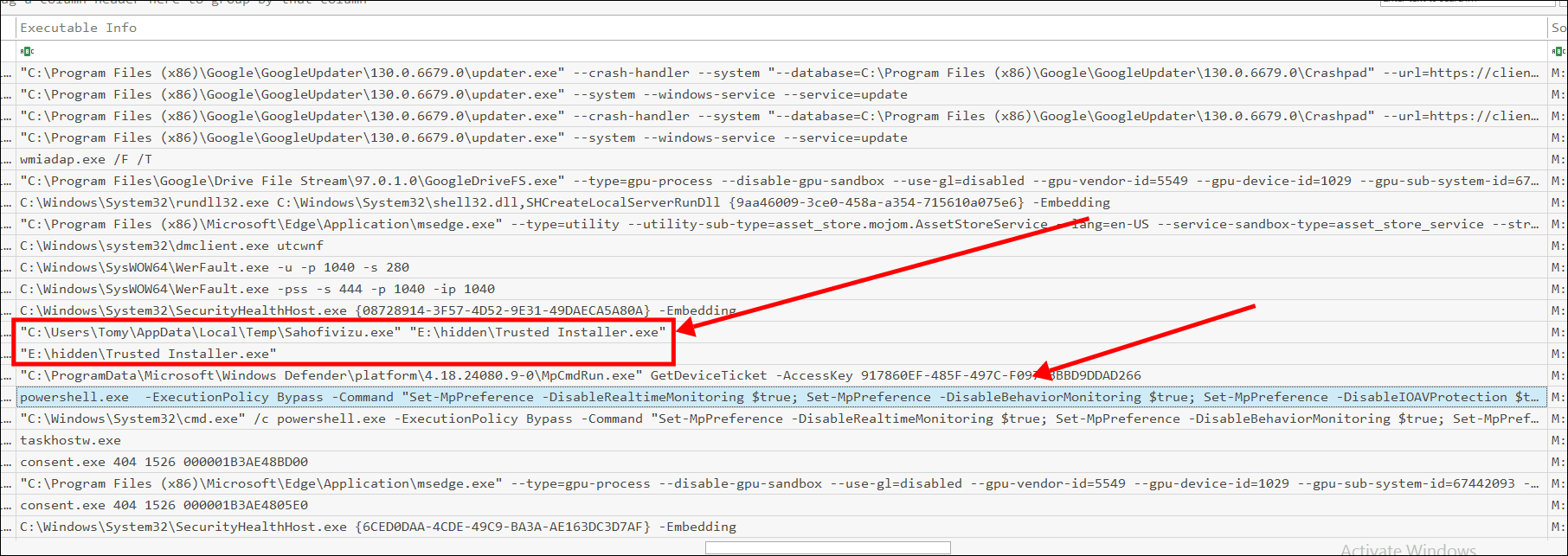
The attacker first disabled Windows Defender and immediately executed a suspicious file. (Note: I sorted the timeline in ascending order from bottom to top).
Answer: E:\hidden\Trusted Installer.exe
Q4: Identifying the bot malware’s C&C infrastructure is key for detecting IOCs. According to threat intelligence reports, what URL does the bot use to download its C&C file?
Still within the same log view, scrolling slightly to the left reveals the cryptographic hashes of these executable files.
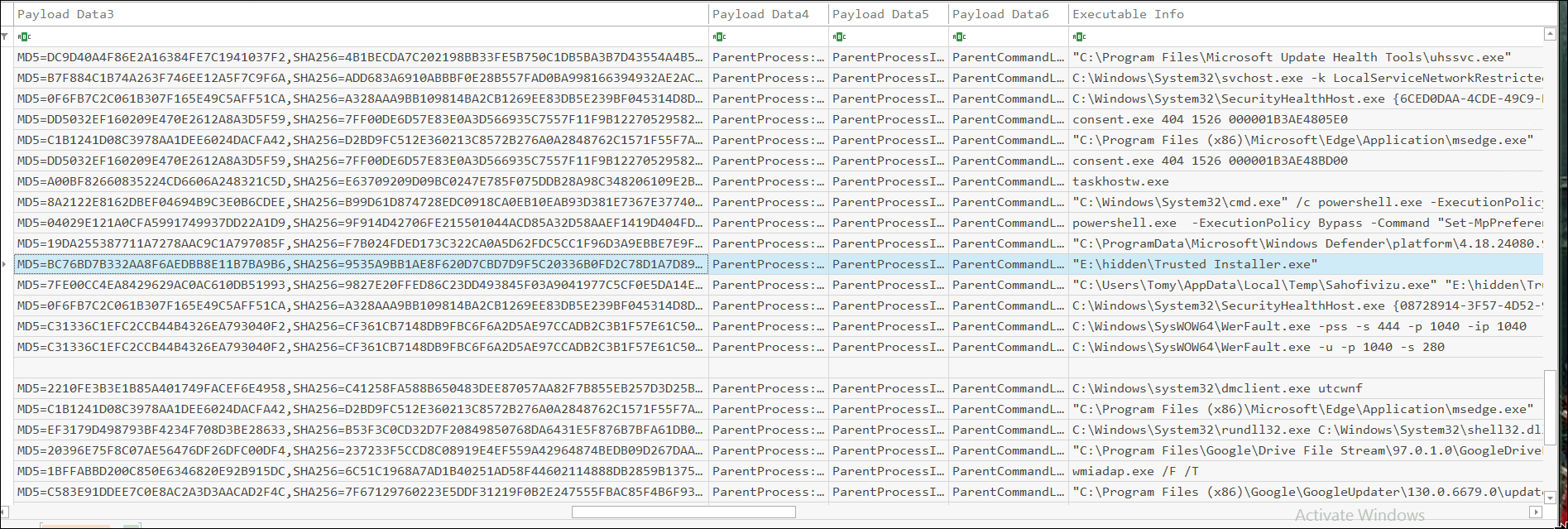
Using this hash, I can look up information about this executable on VirusTotal.
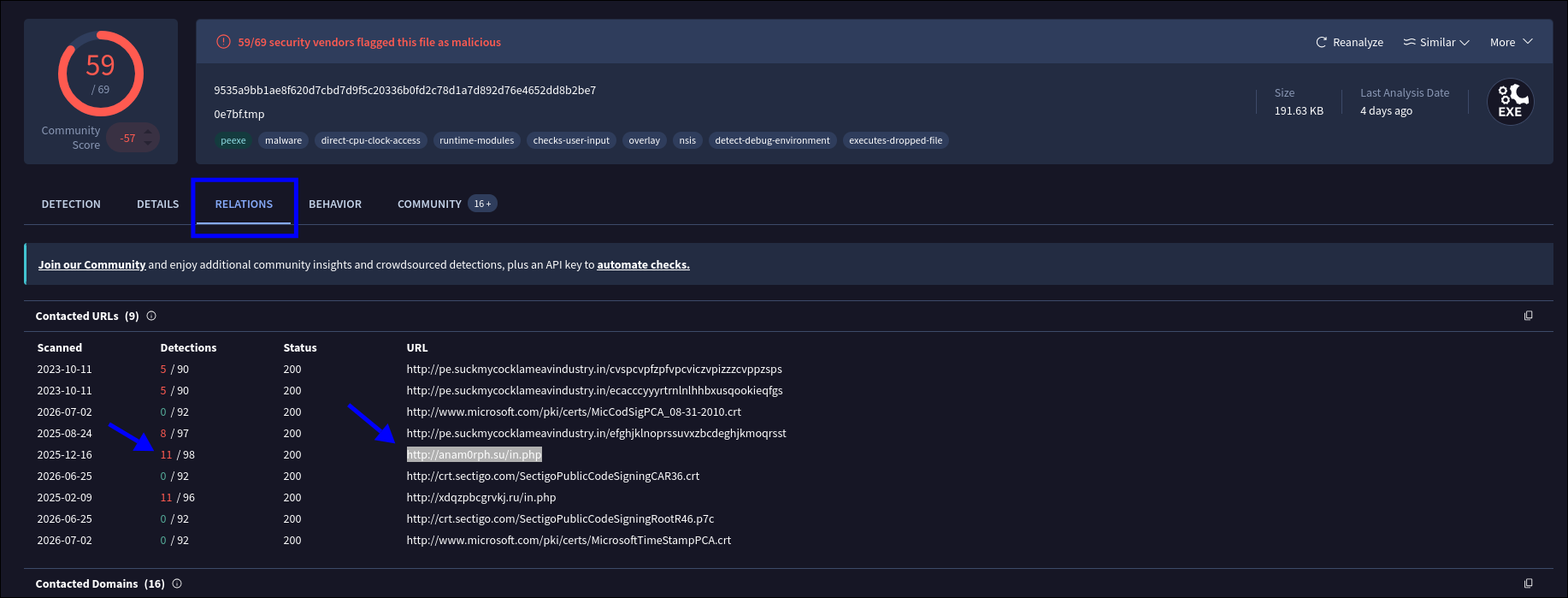
In the Relations tab, I observed that the most frequently detected communication URL is http://anam0rph.su/in.php.
Answer: http://anam0rph.su/in.php
Q5: Understanding the IOCs for files dropped by malware is essential for gaining insights into the various stages of the malware and its execution flow. What is the MD5 hash of the dropped .exe file?
It is evident that the Trusted Installer.exe process acted as a Dropper. Upon execution, a new child process named Sahofivizu.exe appeared.
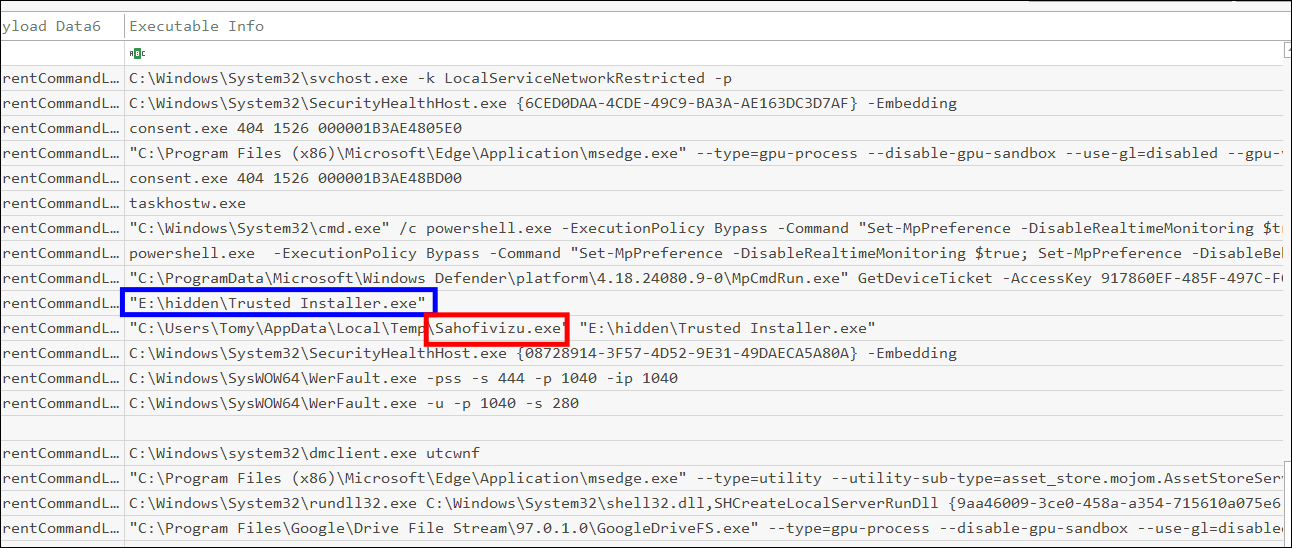
Extracting the hash of this file gives:
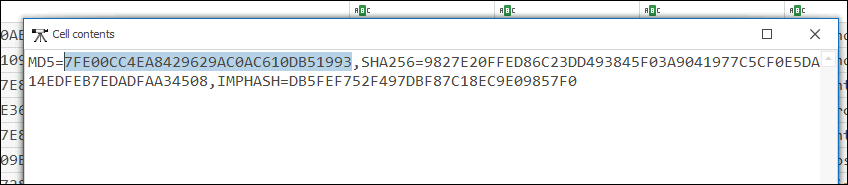
Answer: 7FE00CC4EA8429629AC0AC610DB51993
Q6: Having the full file paths allows for a more complete cleanup, ensuring that all malicious components are identified and removed from the impacted locations. What is the full path of the first DLL dropped by the malware sample?
I had to leave Sysmon Event ID 1 for a bit, and instead look at Event ID 11 (File Creation):
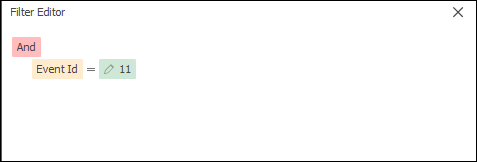
Scrolling to the right, I observed several DLL libraries created by Trusted Installer.exe to support the Sahofivizu.exe process:
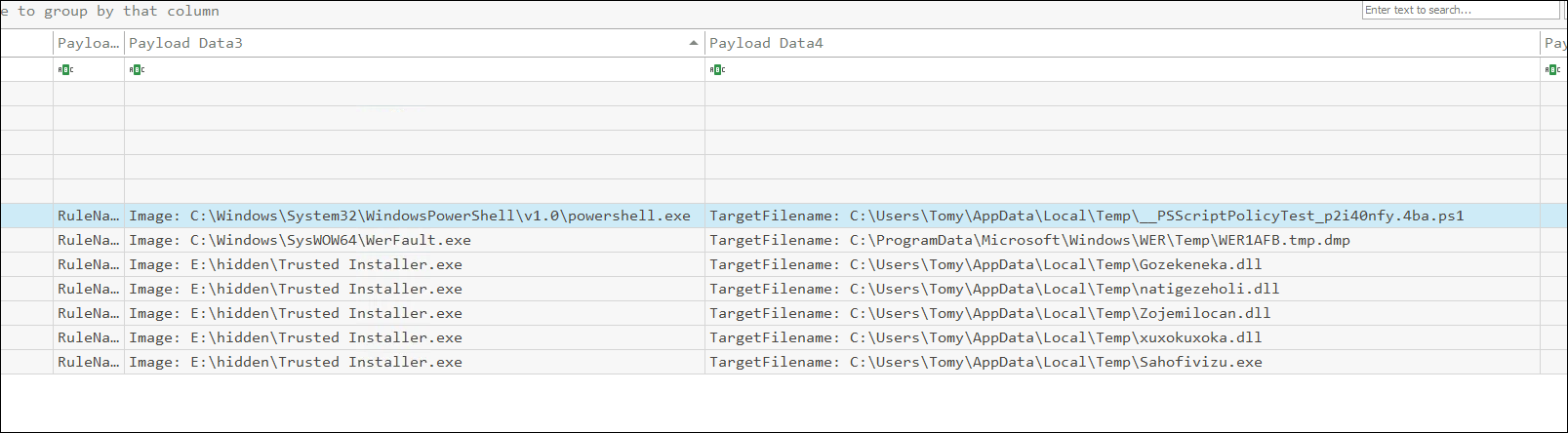
Since the question asks for the first DLL file, the answer is:
Answer: C:\Users\Tomy\AppData\Local\Temp\Gozekeneka.dll
Q7: Connecting malware to APT groups is crucial for uncovering an attack’s broader strategy, motivations, and long-term goals. Based on IOCs and threat intelligence reports, which APT group reactivated this malware for use in its campaigns?
I did some research online with the keyword “UNC4210” got from the name of this lab (andromeda-bot-unc4210) and came across this article; there’s a reference at the bottom written by Mandiant:
| [Turla: A Galaxy of Opportunity | Mandiant | Google Cloud Blog](https://cloud.google.com/blog/topics/threat-intelligence/turla-galaxy-opportunity/) |
Answer: Turla
Conclusion
Through memory and event log forensics using MemProcFS, EvtxECmd, and Timeline Explorer, I reconstructed the infection vector and execution flow of the Andromeda Bot (associated with the UNC4210 / Turla threat group). The investigation determined that the initial compromise occurred via a removable USB device (Serial Number
7095411056659025437&0), which was plugged into the system on2024-10-04 13:48. Following insertion, PowerShell commands were executed to disable Windows Defender real-time protections.Once defenses were impaired, the attacker launched a malicious dropper disguised as
E:\hidden\Trusted Installer.exe. This dropper established command-and-control communication withhttp://anam0rph.su/in.phpand subsequently dropped and executed a secondary payload namedSahofivizu.exe(MD5:7FE00CC4EA8429629AC0AC610DB51993) along with supporting DLLs. This analysis underscores the critical need to monitor and restrict USB device usage, correlate registry hardware artifacts with system logs, and actively hunt for defense impairment events across enterprise endpoints.